Today I am writing from Microsoft’s Irvine office. It’s the windows 7 “Loadfest”, a Partner presentation on installing, selling and some of the cool new features in Windows 7.  The presentation is hosted by Woody Walton. I have been using W7 for a while now, and just installed Windows 7 Ultimate x64 on my Toshiba Notebook (from which I am authoring this post). I am pleased with the product so far. I first loaded it onto one of my development systems in February 2009 when it was in beta test. I really didn’t use the beta a lot, but began using it a bit more after updating to the RC a couple months later. As soon as the MSDN RTM came out, I began using the x64 Ultimate version on a regular basis, and have now abandoned (for the most part) the Vista32 Ultimate installation on the same development box. Being a Software/Firmware Developer, my experience includes installing an alternative driver for Microchip’s MPLAB ICD2 Programmer/Debugger device not written for Windows 7 (with favorable results)!  There are some cool new features we are learning of. Something particularly interesting is the attention they have given to making attached devices like cameras and media players show up with a more intuitive Icon. For example: your camera is more likely to show up as a camera instead of just another drive. Right now we are learning about the enhanced security for “Homegroup” environments (an updated version of Workgroup level networks). Vista computers can join a Homegroup while XP or downlevel OS versions can not.
The infamous UAC (universally hated in Vista) has been changed to allow users to choose from 4 different levels, and a new feature called AppLocker can allow more selective Execution prevention measures.
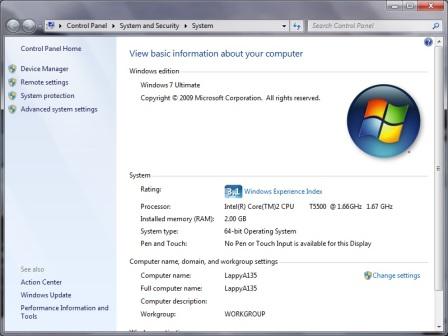
Here’s a screen capture of my Notebook’s Properties page…
Now before you go calling me a M$ $ellout, be advised that the Notebook also dual boots into Ubuntu 9.04 for the gratification of all the Open Source fans out there too!